


Gallery - photo gallery, album
4.255.00 Reviews
App Specs
- Version
- 2.7
- Updated On
- License
- Free
- Downloads
- 500,000+
- Developer
- Gallery - Organize Photos
- Categories
- Photography
- Platform
- Android
Screenshots
 Analysis by AppCompare
I tend to judge a photo gallery by what it lets me control, not just by how quickly it opens a picture. A gallery holds personal moments alongside screenshots, receipts, and images I may not want to show someone borrowing my phone. Gallery - photo gallery, album is a free photography app from Gallery - Organize Photos, and its focus is on browsing and managing photos and videos, with album tools, editing, and media locking. That is a useful combination for everyday sorting, though I would not treat a lock feature as a complete privacy plan.
What trust means in a gallery app
Gallery apps sit close to some of the most personal files on a phone, so I look for a clear distinction between convenient organization and security I can actually rely on. Here, the visible appeal is practical: view media, arrange albums, make basic edits, and lock selected items. Those are understandable tasks, but the presence of a lock option by itself does not tell me how files are protected or what happens if I uninstall the app or change phones.
I would therefore start with a small, low-risk test rather than moving every sensitive image into a new app at once. Try browsing a few ordinary photos, create an album, and see whether the app’s controls match the way you expect to work. Before relying on the lock feature for anything important, check the prompts and settings shown on your own device, and keep a separate copy of irreplaceable pictures. That is sensible for any gallery tool, not a reason to assume this one handles files poorly.
Controls that matter in daily use
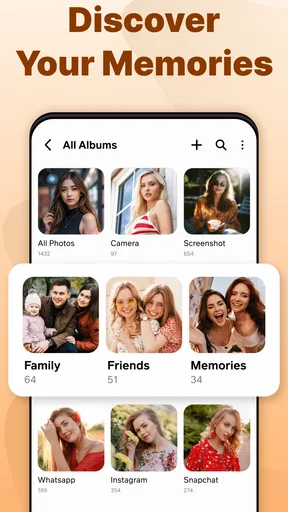
Album management and media locking are useful because they put two different kinds of control within reach: one helps me find things again, while the other can keep chosen items out of casual view. I would use albums for broad, memorable groups—family occasions, trips, or project images—rather than making a new album for every handful of pictures. Too many tiny folders can turn tidying into another task.
A helpful habit is to sort soon after a photo-heavy day. I can review new images while the context is still fresh, set aside the ones worth keeping, and place them into a small number of useful albums. For sensitive items, I would check exactly what the lock flow asks me to do and whether the result is clear before adding more. This makes the feature easier to evaluate without assuming details about its underlying security.
Privacy choices and the moments to pause
Choosing an app to browse local media involves a practical trade-off: the app needs access to the files I want it to display, but I should still pay attention to the permission prompts on my phone. I would grant only the access needed for the task and read the operating system’s explanation rather than tapping through automatically. If a prompt or choice does not make sense, I would pause and inspect the available settings before continuing.
The same care applies when editing or sharing. Before sending an image, I like to confirm the selected file and destination, especially if I have just been viewing private pictures. A gallery can make picking media convenient, but convenience does not replace checking what is being shared. If I mainly need a secure place for confidential documents or highly sensitive images, I would choose a dedicated solution whose protection and recovery options are clearly suited to that job.
Worth Reading Before You Choose

EA SPORTS FC Mobile 26 Is a Bigger Football Game, but It Takes Time

Flipboard Shows What News Apps Must Do Beyond the Feed

Switching to Android Auto Means Rethinking Your Driving Routine

Google Calendar Makes a Crowded Week Easier to Manage

Ludo King Makes the Most of the Minutes Between Plans

Baby Panda World Brings Quick Play to Modern Phones, but Its Game Library Feels Busy
Who will get the most from it
This app makes the most sense for someone who wants a straightforward place to browse a growing camera roll, create albums, make modest edits, and keep some media locked away from casual browsing. It is also a reasonable option for a person who finds the phone’s default gallery cluttered and wants to see whether a separate organizer feels more comfortable. Since it is free and rated for Everyone, trying the basic workflow is easy for a broad range of users.
I would be more cautious if my main requirement were advanced photo editing, cloud-based backup, or strong, clearly documented protection for private files. Those are different needs from everyday gallery organization, and a dedicated editor, backup service, or privacy-focused storage app may be a better fit. I would also avoid assuming that an album is a backup: organizing files on a device does not, on its own, make another copy elsewhere.
A measured recommendation
There is a difference between a tool being easy to try and being the right place for every picture. I would begin with everyday images, learn how album creation and locking behave, and then decide whether the app fits my routine. If I were switching from a built-in gallery, I would compare the two using the same small group of photos: check how quickly I can find a recent image, understand where albums appear, and return to the original view without confusion.
That comparison matters because built-in gallery apps often have the advantage of being familiar and already integrated with the phone, while a separate gallery can appeal if its organization and controls feel clearer to me. Neither is automatically better. The useful question is whether this app makes my own collection easier to browse without creating uncertainty about where files are or how I can access them later.
As a quick snapshot of its place in the catalog, it has a 4.3 average from around 4,400 ratings and more than 100,000 installs. It was released on July 24, 2025, and version 2.3 supports Android 8.0 and later. Those figures suggest that people are trying it, but I would still base my choice on the actual workflow and the privacy choices visible on my device.
First Impressions
Upon downloading Gallery - photo gallery, album, I was immediately impressed by its clean and intuitive interface. Navigating through the app is as smooth as butter. You don’t need to be a tech wizard to figure it out, which is a huge plus in my book. The setup process was quick and painless, and before I knew it, I had all my photos and videos neatly organized.
Features That Stand Out
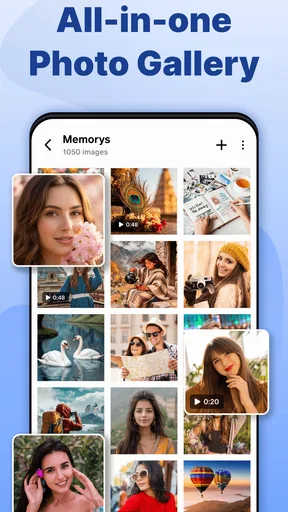
One of the first things I noticed was the app’s ability to automatically categorize photos into albums. It’s like having a personal assistant who knows exactly where everything should go. This feature saves so much time, especially if you’re someone who takes a lot of photos.
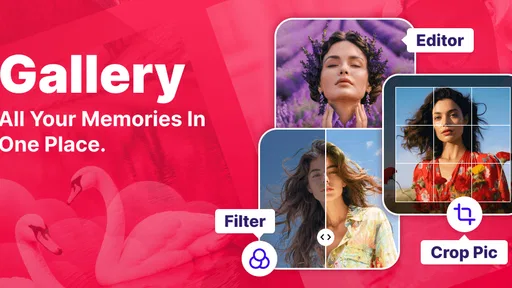
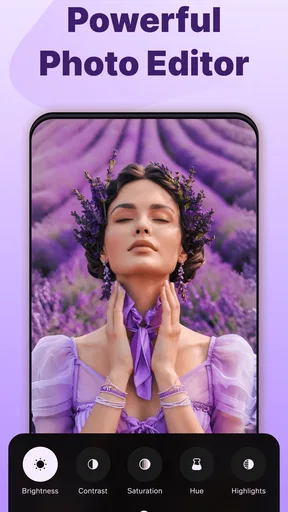
The app also supports a wide range of media formats. Whether it’s a GIF from your recent meme collection or a high-res photo from a family gathering, Gallery handles it all without breaking a sweat. And let’s not forget about the editing tools. The app comes equipped with basic editing features that allow you to tweak your photos before sharing them with friends or family.
Security and Privacy
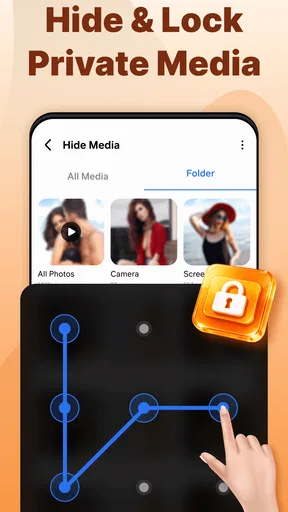
In today’s world, privacy is paramount, and this app doesn’t disappoint. The app offers a secure vault feature where you can keep your private photos and videos under lock and key. It’s like having a digital safe right on your phone, giving you peace of mind that your personal memories are protected.
Customizable Experience
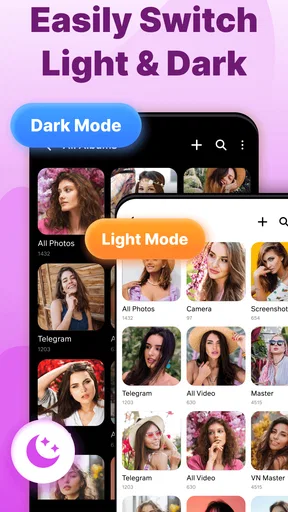
I love how customizable the app is. From the theme to the layout, you can tweak it to suit your personal style. Whether you prefer a dark mode for nighttime browsing or a vibrant theme to brighten your day, the app has got you covered. It’s little touches like these that make the app feel personalized and user-friendly.
Performance and Usability
The app runs smoothly without any noticeable lag. Even when sifting through thousands of photos, it maintains its speed and efficiency. I’ve experienced zero crashes, which is quite impressive given the app’s robust features. It’s clear that the developers have put a lot of thought into the app’s performance, ensuring a seamless experience for users.
What’s more, the app is lightweight, so it doesn’t hog your phone’s resources. This is a major win for anyone who has a device with limited storage space.
Sharing Made Easy
Sharing photos with friends and family is super easy. Whether you prefer sending images via email or social media, the app provides a straightforward way to do it. You can even create slideshows with your favorite tracks playing in the background, making it a fun way to relive precious moments.
Final Thoughts
Overall, Gallery - photo gallery, album is a fantastic app for anyone looking to organize their photo collection. With its intuitive interface, robust features, and focus on security, it’s a must-have for photo enthusiasts and casual users alike. Whether you’re looking to tidy up your gallery or showcase your photography skills, this app has got you covered.
If you’re tired of scrolling through an endless sea of disorganized images, give this app a try. It might just be the organizational tool you didn’t know you needed.
Pros
- User-friendly interface for easy navigation.
- Supports various image and video formats.
- Customizable album organization options.
- Fast loading and smooth performance.
- Offline access to your photos and albums.
Cons
- Limited cloud storage integration options.
- No advanced photo editing tools.
- Occasional ads can interrupt usage.
- Some features require in-app purchases.
- Syncing issues with certain devices.
FAQs for Gallery - photo gallery, album
What features does the Gallery app offer for organizing photos?
The Gallery app provides a comprehensive set of features for organizing your photos, including customizable albums, smart sorting, and tagging options. Users can create albums to categorize their images, use facial recognition for automatic sorting, and add tags for easy searching. The app also supports cloud integration for backup and access across devices.
Is the Gallery app compatible with both Android and iOS devices?
Yes, the Gallery app is available for both Android and iOS platforms. It is designed to provide a seamless experience across devices, ensuring that users can access their photos and albums regardless of the operating system. The app is regularly updated to maintain compatibility with the latest versions of Android and iOS.
How does the Gallery app ensure the privacy and security of my photos?
The Gallery app incorporates several privacy and security measures to protect your photos. It offers encrypted cloud storage options, allowing you to back up your images securely. Additionally, the app includes a private album feature where you can store sensitive photos with password protection or biometric authentication, ensuring only you have access.
Can I edit photos directly within the Gallery app?
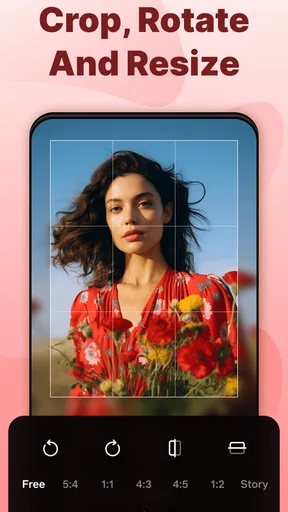
Yes, the Gallery app includes a built-in photo editor that allows users to make quick adjustments and enhancements. You can crop, rotate, and apply filters to your images, as well as adjust brightness, contrast, and saturation. The intuitive interface makes it easy for users of all skill levels to enhance their photos without needing a separate app.
Does the Gallery app support sharing photos on social media?
Absolutely! The Gallery app offers seamless sharing options that allow you to easily post your photos to various social media platforms directly from the app. You can also share images via email or messaging apps, and the app ensures that your photos retain their quality when shared across different platforms.


